---
title: "Aura Demo Request Landing Page: B2B Product-Led Growth on HubSpot CMS"
description: Convert demo requests with Aura's Demo Request landing template—split hero, conversion split module, stats, demo FAQ, and booking form for B2B SaaS teams.
image: https://blog.chetankumar.me/hubfs/Aura%20Theme/Aura%20Blog%20Featured%20images/06-demo-request-landing-featured.png
---
[Skip to content](https://blog.chetankumar.me/aura-blog/aura-demo-request-landing-template-guide#main-content)
[](https://blog.chetankumar.me/aura-home)
- [Features](https://www.chetankumar.me/aura-features)
- [Product](https://www.chetankumar.me/aura-product)
- [Services](https://www.chetankumar.me/aura-services)
- [Pricing](https://www.chetankumar.me/aura-pricing)
- Landing Pages
- [General LP](https://www.chetankumar.me/aura-landing)
- [Demo Request LP](https://www.chetankumar.me/aura-demo-request-lp)
- [Webinar LP](https://www.chetankumar.me/aura-webinar-lp)
- [Product Launch LP](https://www.chetankumar.me/aura-product-launch-lp)
- [Ebook Download LP](https://www.chetankumar.me/aura-ebook-download-lp)
- [App Waitlist LP](https://www.chetankumar.me/aura-app-waitlist-lp)
- [Blog](https://blog.chetankumar.me/aura-blog)
- [Style Guide](https://blog.chetankumar.me/aura-style-guide)
[Documentation](https://blog.chetankumar.me/aura-documentation)
1.
2. [Aura Blog](https://blog.chetankumar.me/aura-blog)
3. [Aura Theme Template](https://blog.chetankumar.me/aura-blog/tag/aura-theme-template)
4. Aura Demo Request Landing Page: B2B Product-Led Growth on HubSpot CMS
[Aura Theme Template](https://blog.chetankumar.me/aura-blog/tag/aura-theme-template)
# Aura Demo Request Landing Page: B2B Product-Led Growth on HubSpot CMS

[Chetan](https://blog.chetankumar.me/aura-blog/author/chetan)
Published Jun 26, 2026
10 min read
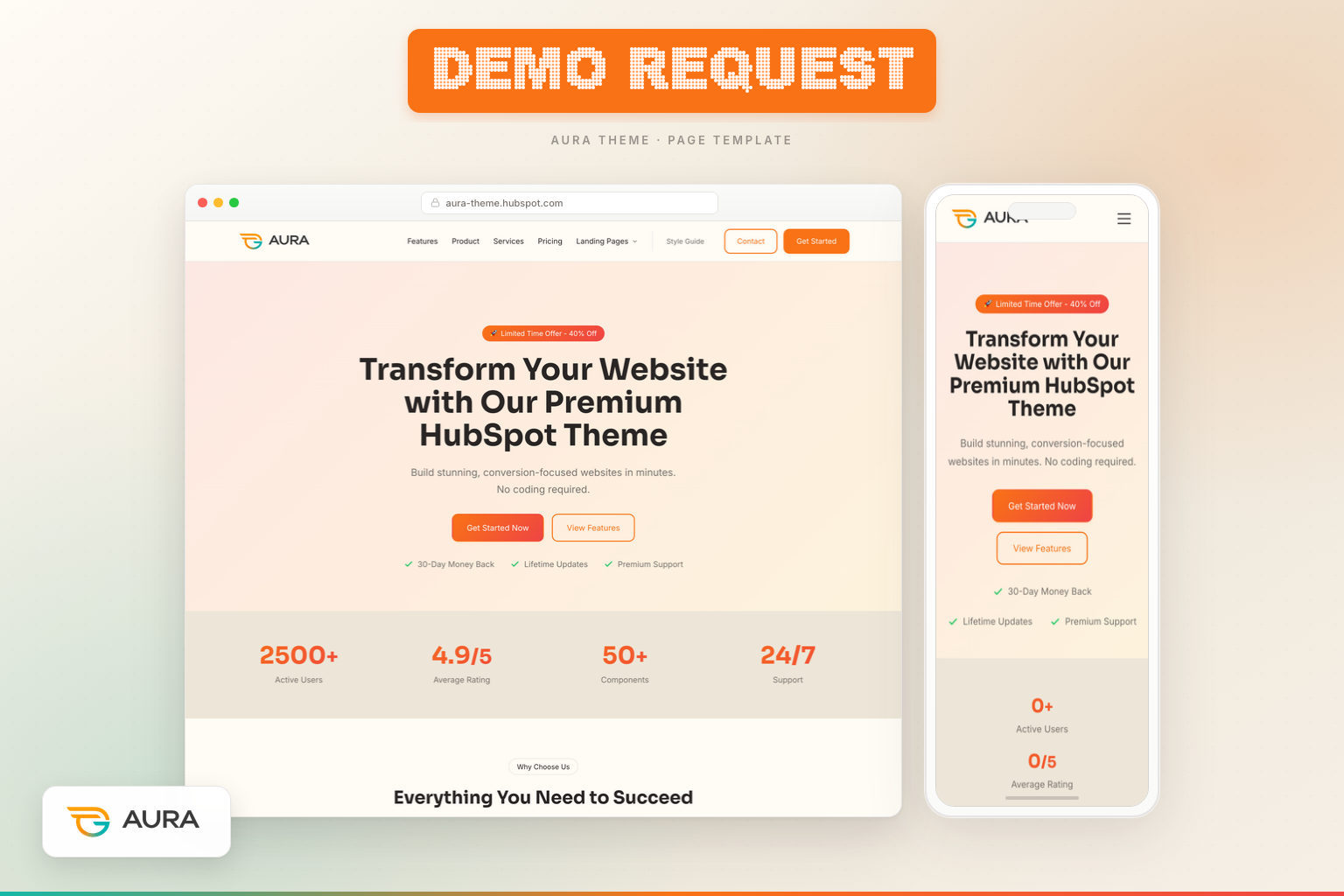
Product-led growth does not mean self-serve only. Enterprise buyers, complex integrations, and high-ACV deals still start with a conversation—and that conversation should begin on a landing page engineered to reduce demo anxiety, prove ROI, and capture qualified calendar bookings. The **Aura Landing — Demo Request template** is that page.
Five sections. Five modules. One outcome: booked demos that sales teams actually want to take.
## Who this template serves
- B2B SaaS companies running LinkedIn and Google demo campaigns
- HubSpot theme sellers offering personalized walkthroughs
- Agencies selling retainers requiring discovery calls
- Any business where demo-to-close rate justifies dedicated landing creative
Path: `templates/Landing — Demo Request.html`. DnD area: **Demo Request Landing**.
## Section 1: Split hero — product proof + demo CTA
**Aura Hero module** in split layout with neon overlay:
- Headline: personalized demo value prop with gradient highlight
- Product dashboard image for visual credibility
- CTAs anchor to #book-demo and #how-it-works—keeping visitors on page
- Trust items: no commitment, 48-hour setup, SOC 2 compliance (customize to your proof)
**Objective:** Show the product while asking for time—balance demo requests need both emotional and rational triggers.
## Section 2: Conversion Split Module — benefits + metric visual
The **Aura Conversion Split module** is unique to demo/sales landing flows. Left side: three benefit bullets (Guided Onboarding, Live Integrations, ROI Forecasting). Right side: animated stat card showing "3.2× Faster Time-to-Value."
**Why this module matters:** Demo skeptics ask "What will I get from 30 minutes?" This section answers before the form. The animated metric adds motion without video load time.
**Business objective:** Increase form completion rate by pre-answering ROI questions that otherwise surface as sales objections on the call.
## Section 3: Stats — demo-specific social proof
Four counters: Demos Delivered, Would Recommend %, Average Go-Live Days, Rating. Teal accent variant differentiates from promo landing pages using orange gradients.
**Psychology:** "98% Would Recommend" reduces fear of wasting time on a bad demo. "14 Days Avg. Go-Live" implies implementation speed post-demo.
## Section 4: FAQ — demo anxiety removal
Four questions via **Aura FAQ module**:
- How long is the demo?
- Who should attend?
- Can you customize for our industry?
- What happens after the demo?
**Objective:** FAQ on demo pages increases form submissions by lowering perceived commitment. Be specific in answers—"30 minutes," "bring your tech lead," "we send recording + pricing within 24 hours."
## Section 5: Lead Capture — book the demo
**Aura Lead Capture module** with id anchor #book-demo: "Book Your Free Demo" heading, calendar-invite subheading, privacy text. Connect HubSpot form with meeting scheduler or demo request fields (company size, use case).
**Sales ops tip:** Add required field for use case to improve lead routing and rep prep.
## Module deep dive: Conversion Split
Unlike generic two-column layouts, Conversion Split pairs checklist copy with a gradient stat card designed for animated counting on scroll. Fields include section heading, benefit repeater, stat value, stat label, and style variants for background and accent.
**Reuse:** Also appears on Features template—maintain consistent ROI messaging across demo and product pages.
## Demo page metrics
1. Form start rate (hero CTA clicks / sessions)
2. Form completion rate
3. Demo held rate (CRM stage)
4. Scroll depth to FAQ (indicates objection research)
## Connecting to Webinar landing
Demos convert high-intent buyers; webinars convert audiences at scale. Aura's **Landing — Webinar** template swaps demo form for event registration, agenda section, and past attendee testimonials.
Learn when to use each in our guide to the [Aura Webinar landing page template](https://blog.chetankumar.me/blog/aura-webinar-landing-template-guide)—ideal for top-of-funnel campaigns that nurture toward demo stage.
## Launch checklist
1. Replace dashboard hero image with actual product UI
2. Align stat numbers with customer success data
3. Connect form to Slack notification for instant SDR response
4. Add calendar integration confirmation email
5. Test anchor links from hero buttons on mobile
## Editing the Demo Request template in the HubSpot page editor
Demo landing pages require coordination between marketing copy and sales routing. Configure the Aura Demo Request template as follows:
1. **Create the page** — Website Pages → Create → Website page.
2. **Assign template** — Select "Landing — Demo Request" from Aura theme. Five sections load in Demo Request Landing DnD area.
3. **Configure split hero** — Upload product dashboard screenshot. Write headline emphasizing demo outcome. Set CTAs to #book-demo and #how-it-works anchor links (verify anchors match module IDs below).
4. **Edit Conversion Split module** — Update three benefit bullets and animated stat (value + label). This section pre-answers "what do I get from 30 minutes?"
5. **Update demo stats** — Replace with real metrics: demos delivered, NPS/recommend %, implementation timeline, G2 rating.
6. **Customize demo FAQ** — Specific answers: demo length, attendees needed, industry customization, post-demo follow-up timeline.
7. **Configure Lead Capture at #book-demo** — Select form with company size and use case fields for SDR prep. Connect to HubSpot meetings if using embedded scheduler.
8. **Test anchor navigation** — Click hero "Book Demo" on mobile preview—should smooth-scroll to form section.
9. **Publish and connect CRM workflow** — Trigger Slack/email notification on submission. Assign lead owner by company size field.
## Mobile and responsive behavior on the Demo Request template
B2B demo requests increasingly originate on mobile LinkedIn clicks. Responsive behavior details:
**Split hero with neon overlay:** Product image stacks below copy on mobile. CTAs expand full width. Anchor links to #book-demo must work on iOS Safari (test smooth scroll). Trust items wrap cleanly.
**Conversion Split module:** Two-column layout stacks on tablet. Benefit checklist appears above animated stat card on mobile—copy before proof. Stat animation still triggers on scroll.
**Stats (teal accent):** 2×2 grid on tablet, single column on phone. Teal accent distinguishes demo pages from orange promo landing pages visually.
**FAQ:** Single column accordion. Demo-specific questions benefit from concise mobile-readable answers—avoid paragraphs over four sentences per item.
**Lead Capture (#book-demo):** Form section ID enables anchor targeting. Full-width form on mobile. If using meetings embed, verify calendar widget responsive mode.
## Theme Settings fields that affect the Demo Request page
**Colors:** Teal accent variant in stats may override default primary for demo template differentiation—configure in module Style tab or via accent token. Neon overlay uses primary/secondary gradient. Conversion Split stat card uses gradient token.
**Typography:** Split hero headline uses heading scale at large size—ensure product name visible on mobile wrap. FAQ questions use semibold heading weight for scanability.
**Buttons:** Hero anchor CTAs styled as primary/secondary buttons. Form submit uses primary token. Consistent hover states reduce perceived friction before high-commitment demo request.
## Extended module field reference for the Demo Request template
**Aura Hero (split, neon):** Badge, headline with gradient highlight, subheading, hero image, primary CTA label + anchor link, secondary CTA label + anchor link, trust repeater, layout split, overlay neon.
**Aura Conversion Split:** Section heading, benefit repeater (icon, text), stat value (numeric), stat label, stat suffix optional, animation toggle, background style, accent color override.
**Aura Stats:** Four stat repeater items, teal accent style variant, animation on scroll.
**Aura FAQ:** Four question/answer pairs recommended for demo pages, single column layout.
**Aura Lead Capture:** Section ID field (set to book-demo), heading ("Book Your Free Demo"), subheading, form picker, privacy text, optional background.
## Common mistakes to avoid on demo landing pages
- **Generic Contact page as demo destination** — Paid demo ads sending traffic to Contact page leak conversion. Use dedicated demo template.
- **Vague FAQ answers** — "We'll discuss your needs" does not reduce anxiety. State "30 minutes," "no pitch until minute 20," etc.
- **Stock dashboard image** — Fake UI destroys credibility. Screenshot your actual product.
- **Form without use case field** — SDRs join demos unprepared. Add required use case or company size.
- **Broken #book-demo anchor** — Hero CTA clicks that go nowhere frustrate mobile users. Verify section ID.
- **No post-submit calendar confirmation** — Demo requests need immediate calendar invite. Automate via workflow.
- **Conversion Split stat unverified** — "3.2× ROI" without data invites skepticism. Use real customer success metrics or remove.
## Persona-specific use cases
**For marketers:** Run LinkedIn Lead Gen and Google Search demo campaigns to this template exclusively. Track form completion rate vs hero CTA clicks. Build lookalike audiences from demo submitters. Coordinate hero copy with sales team's demo narrative. Refresh testimonial-adjacent stats quarterly from CRM closed-won data.
**For developers:** Conversion Split module is demo/Features-specific—understand repeater schema before cloning module. Anchor links require matching section ID on Lead Capture module—do not hardcode IDs in hero template; use module field. Neon overlay CSS shared with promo Landing—test CSS changes across both.
**For agency owners:** Demo Request template sells discovery calls, not product demos—adapt copy for "Free Strategy Session" or "Project Scoping Call." Conversion Split benefits become "Discovery Deliverables," "Fixed-Price Proposal," "Timeline Roadmap." Route form to partner calendar. Pair with Services page for visitors who scroll but do not convert immediately.
## Additional SEO and internal linking guidance
Demo landing pages typically use noindex for paid campaigns but may rank organically for "HubSpot theme demo" or "\[product\] demo request" if indexed. Optimize title for demo intent. The existing link to the Webinar guide supports funnel-stage content clustering—on live sites, link demo thank-you pages to Features for evaluators and Pricing for buyers ready to decide post-demo.
Internal link from homepage secondary CTA ("View Demos"), Features CTA banner, and sales email templates. Use anchor text "Book a personalized demo" rather than generic "Learn more."
## CRM integration and sales handoff best practices
Demo landing pages succeed when marketing and sales share one definition of a qualified lead. Configure HubSpot form to capture minimum fields: email, name, company, company size, use case (dropdown). Map company size to lead owner rotation. Trigger Slack notification on submit with link to contact record. Create saved view for SDRs: "Demo Requests — Last 7 Days — Uncontacted." Set task auto-creation: "Call within 5 minutes" for enterprise size, "Email within 1 hour" for SMB. Include demo page URL and UTM source on contact record via hidden fields. Sales reps should reference Conversion Split benefits on calls—buyers expect the ROI discussion the page promised.
## Analytics and optimization for demo campaigns
Primary KPI: demo held rate (demos completed / form submissions), not just form fills. Secondary metrics: hero CTA click rate, FAQ scroll depth, mobile vs desktop completion rate. Export monthly report comparing demo sources: LinkedIn vs Google vs email. Allocate budget to channels with highest held-demo rate.
## Post-demo confirmation experience
Send reminder email 24 hours before referencing Conversion Split ROI topics promised on the landing page.
## Qualifying questions for demo forms
Add dropdown fields that improve lead quality without killing conversion: company size (1–10, 11–50, 51–200, 200+), primary use case (theme purchase, agency client project, enterprise migration), timeline (immediate, 1–3 months, exploring). Route enterprise size to senior AE. Hide optional fields behind "Tell us more" expander on mobile to reduce form abandonment while capturing detail from motivated buyers.
Include demo page URL in outbound sequences—prospects who visit before rep calls arrive with shared context about ROI stats and FAQ answers, shortening the discovery phase.
Configure thank-you redirect to confirmation page restating demo duration, prep steps, and calendar invite status—not generic homepage.
## Final word
Demo request pages are where marketing meets sales. The Aura Demo Request template gives both teams a shared asset: marketing owns copy and form; sales trusts the leads because the page pre-qualifies intent. Ship it, sync it to CRM, and stop sending paid traffic to generic Contact pages.
[#Aura Theme Template](https://blog.chetankumar.me/aura-blog/tag/aura-theme-template)
Share:
[LinkedIn](https://www.linkedin.com/sharing/share-offsite/?url=https%3A%2F%2Fblog.chetankumar.me%2Faura-blog%2Faura-demo-request-landing-template-guide) [X](https://twitter.com/intent/tweet?url=https%3A%2F%2Fblog.chetankumar.me%2Faura-blog%2Faura-demo-request-landing-template-guide&text=%3Cspan+id%3D%22hs_cos_wrapper_name%22+class%3D%22hs_cos_wrapper+hs_cos_wrapper_meta_field+hs_cos_wrapper_type_text%22+style%3D%22%22+data-hs-cos-general-type%3D%22meta_field%22+data-hs-cos-type%3D%22text%22+%3EAura+Demo+Request+Landing+Page%3A+B2B+Product-Led+Growth+on+HubSpot+CMS%3C%2Fspan%3E) [Email](mailto:?subject=%3Cspan+id%3D%22hs_cos_wrapper_name%22+class%3D%22hs_cos_wrapper+hs_cos_wrapper_meta_field+hs_cos_wrapper_type_text%22+style%3D%22%22+data-hs-cos-general-type%3D%22meta_field%22+data-hs-cos-type%3D%22text%22+%3EAura+Demo+Request+Landing+Page%3A+B2B+Product-Led+Growth+on+HubSpot+CMS%3C%2Fspan%3E&body=Check+out+this+article%3A+https%3A%2F%2Fblog.chetankumar.me%2Faura-blog%2Faura-demo-request-landing-template-guide)
Copy link

About the author:
## Chetan
Full-Stack Developer
[More articles →](https://blog.chetankumar.me/aura-blog/author/chetan) [LinkedIn](https://www.instagram.com/chetaverse)
## Table of Contents
Table of Contents
## Built to scale. Built to profit.
We help B2B teams turn traffic into pipeline with conversion-focused HubSpot experiences.
- 98% Client Retention + Growth
- 82% Average Client Profit Growth
- HubSpot CMS launch in weeks
[Book a Call](https://blog.chetankumar.me/aura-contact)
## Case Studies
- How Acme grew pipeline 3x
- SaaS launch in 14 days
- Enterprise migration story
## Keep Building — Explore More Setup Guides
### [ Aura Theme Template Aura Features Page Template: Technical Depth for Buyers Who Evaluate Before They Buy  Chetan Jun 26, 2026, 5:09:55 PM](https://blog.chetankumar.me/aura-blog/aura-features-page-template-guide)
### [ Aura Theme Template Aura Landing Page Template: Promo Offers, Social Proof, and Lead Capture That Converts  Chetan Jun 26, 2026, 5:14:13 PM](https://blog.chetankumar.me/aura-blog/aura-landing-page-template-guide)
### [ Setup Guide Aura Home Page Template: The Complete Guide to Building a High-Converting HubSpot Homepage  Chetan Jun 26, 2026, 5:20:09 PM](https://blog.chetankumar.me/aura-blog/aura-home-page-template-guide)
## Enjoyed This Article?
Explore Aura and start building your next website with a modern HubSpot theme.
[View Pricing](https://blog.chetankumar.me/aura-pricing) [Contact Us](https://blog.chetankumar.me/aura-contact)
[](https://blog.chetankumar.me/)
A premium, highly customizable HubSpot CMS theme built with modern design tokens and a comprehensive component library.
-
-
-
-
-
### Product
- [Home](https://blog.chetankumar.me/aura-home)
- [Features](https://blog.chetankumar.me/aura-features)
- [Product](https://blog.chetankumar.me/aura-product)
- [Pricing](https://blog.chetankumar.me/aura-pricing)
- [Use Cases](https://blog.chetankumar.me/aura-use-case)
### Company
- [About](https://blog.chetankumar.me/aura-about)
- [Team](https://blog.chetankumar.me/aura-team)
- [Contact](https://blog.chetankumar.me/aura-contact)
- [Careers](https://blog.chetankumar.me/aura-careers)
- [Blog](https://blog.chetankumar.me/aura-blog)
### Resources
- [Documentation](https://blog.chetankumar.me/aura-documentation)
- [Case Study](https://blog.chetankumar.me/aura-case-study)
- [FAQ](https://blog.chetankumar.me/aura-faq)
- [Services](https://blog.chetankumar.me/aura-services)
- [Support](https://blog.chetankumar.me/aura-contact)
### Legal
- [Privacy Policy](https://blog.chetankumar.me/privacy)
- [Terms of Service](https://blog.chetankumar.me/terms)
- [Download Theme](https://ecosystem.hubspot.com/marketplace/website/aura-theme-by-chetan-kumar)
- [Live Chat](https://wa.me/7409598846)
© 2026 Aura Theme. All rights reserved.
[kumarchetan.npr@gmail.com](mailto:kumarchetan.npr@gmail.com) · Built with care for the HubSpot Marketplace
```json
{
"@context" : "https://schema.org",
"@type" : "BlogPosting",
"author" : {
"@type" : "Person",
"name" : "Chetan",
"url" : "https://blog.chetankumar.me/aura-blog/author/chetan"
},
"dateModified" : "2026-06-26T11:43:12.642Z",
"datePublished" : "2026-06-26T11:43:12.000Z",
"headline" : "Aura Demo Request Landing Page: B2B Product-Led Growth on HubSpot CMS",
"image" : [ "https://blog.chetankumar.me/hubfs/Aura%20Theme/Aura%20Blog%20Featured%20images/06-demo-request-landing-featured.png" ],
"mainEntityOfPage" : {
"@id" : "https://blog.chetankumar.me/aura-blog/aura-demo-request-landing-template-guide",
"@type" : "WebPage"
},
"publisher" : {
"@type" : "Organization",
"logo" : {
"@type" : "ImageObject",
"url" : "https://blog.chetankumar.me/hubfs/appstore.png"
},
"name" : "Chetan Kumar Company"
}
}
```